Resolve Source Ambiguity dialog box
In this section:
The Resolve Source Ambiguity dialog box appears, for example, when you try to set a breakpoint on templates and the source location corresponds to more than one function.
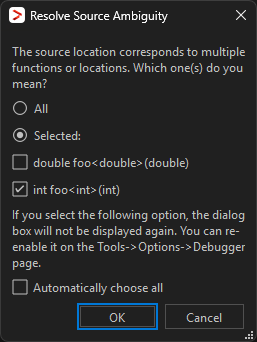
To resolve a source ambiguity, perform one of these actions:
Click All.
Click Selected and select one or several of the listed locations.