Diagnostics
The Diagnostics options control individual warnings or ranges of warnings.
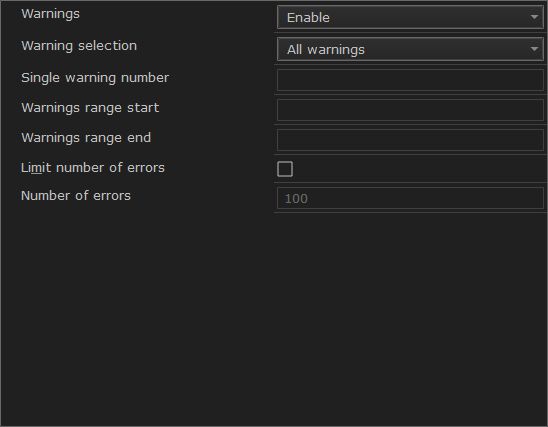
Warnings
Controls the assembler warnings. The assembler displays a warning message when it finds an element of the source code that is legal, but probably the result of a programming error. By default, all warnings are enabled. To control the generation of warnings, choose between:
- Enable
Enables warnings.
- Disable
Disables warnings.
Warning selection
- All warnings
Enables/disables all warnings.
- Just one warning
Enables/disables the warning you specify.
- Warning range
Enables/disables all warnings in the range you specify.
Single warning number
Specify the warning that you want to enable/disable.
Warnings range start
Specify the first warning of the range of warnings that you want to enable/disable.
Warnings range end
Specify the last warning of the range of warnings that you want to enable/disable.
Limit number of errors
Sets a limit to the number of errors before the assembler stops the assembly.
Number of errors
Specify the maximum number of errors. This means that you can increase or decrease the number of reported errors, for example, to see more errors in a single assembly. By default, the maximum number of errors reported by the assembler is 100.
For more information about assembler warnings, see Assembler diagnostics.