New/Edit Build Action dialog box
The New/Edit Build Action dialog box is available from the Build Actions page in the Options dialog box.
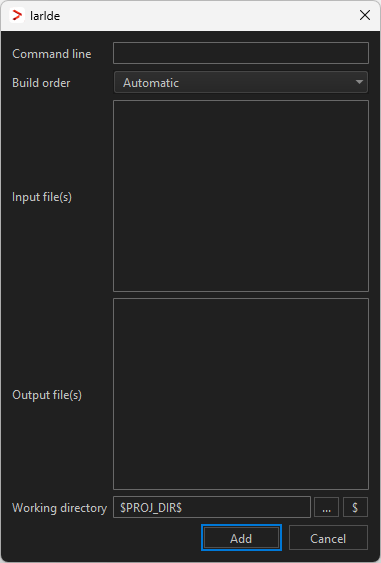
Use this dialog box to create or edit build actions.
Command line
Type the command to be executed. The command is executed as cmd /C on Windows and commandsh -c on Linux.command
Output files
Specify the files generated by the command. Note that specifying a file that is not generated by the command will cause the build action, and any dependent build actions, to be rebuilt every time the project is built.
Input files
Specify all files required for the build action. The files must exist on the computer or be specified as an output from another build action.
Working directory
Specify the directory where the command is executed. A browse button is available for your convenience.
Build order
Specify where in the build process to execute the build action. Choose between:
- Automatic
The command is executed based on input and output dependencies. All input and output files for the command must be specified.
- Pre-compile
The command is executed before the compiler or assembler. Use this build order to, for example, generate header files for the compiler.
- Pre-link
The command is executed before the linker, after the compiler or assembler. Use this build order to, for example, generate linker configuration files.
- Post-link
The command is executed after the linker. Use this build order to generate files before, for example, output conversion.
Note
For commands that only have explicit dependencies, use the Automatic build order. For commands with implicit dependencies, for example header files or linked libraries, use one of the other build orders.