Add Files From Folder dialog box
What do you want to do?
Learn about:
Learn how to:
Get reference information about the Add Files From Folder dialog box, see below the line.

The Add Files From Folder dialog box is available from the Project menu or the context menu in the Workspace window.
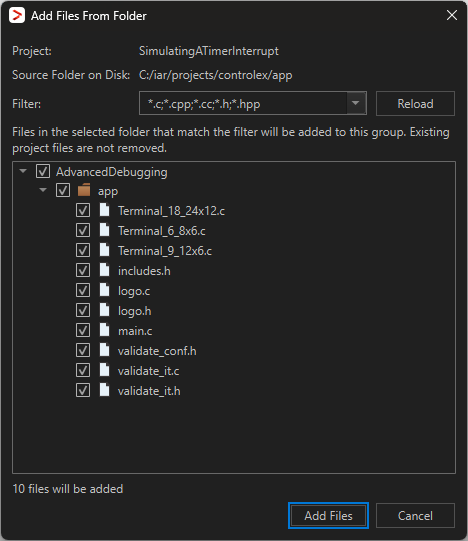
Use this dialog box to add new files and folders to your project. It never removes anything that is already in the project. It is suitable for one-time imports from a single location or when adding, for example, a new third-party code base or library while preserving its folder hierarchy.
To access the dialog box you must first choose Add or Create>Add Files from Folder from the Project menu or the context menu in the Workspace window, and then navigate to the folder where the files you want to add are located, and select that folder.
Select the files you want to add from the list and click Add Files.
注記
Unlike the Sync With Folder on Disk dialog box, there is no matching or updating of existing groups. There is no dependency on existing project content.
Filter
Choose which file types to display in the list and click Reload.