Fault exception viewer window
In this section:
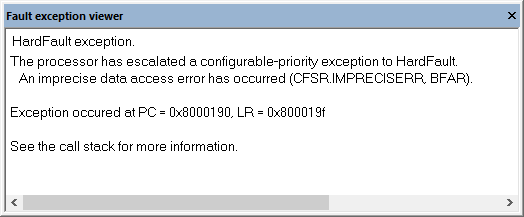
The Fault exception viewer window is available by choosing View>Fault exception viewer. The window is automatically opened when the execution stops and a fault exception was encountered.
Context menu
This context menu is available:
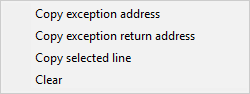
- Copy exception address
Copies the address that the program counter,
PC, had at the time of the exception. The address is copied to the clipboard.- Copy exception return address
Copies the address that the link register,
LR, had at the time of the exception. The address is copied to the clipboard.- Copy selected line
Copies the selected line to the clipboard.
- Clear
Clears the messages displayed in the Fault exception viewer window.