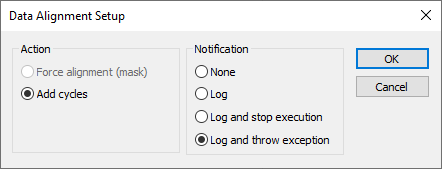
IAR Embedded Workbench for RISC-V 3.40C-SPY DebuggingAdditional information on C-SPY driversReference information on the C-SPY simulatorData Alignment Setup dialog boxData Alignment Setup dialog boxIn this section: The Data Alignment Setup dialog box is available from the Simulator menu.Use this dialog box to control the behavior of the simulator when an access to misaligned data is detected.NoteThe hardware of your specific core might not support all actions.RequirementsThe C-SPY simulator.ActionSelects the action to take when an access to misaligned data is detected. Choose between:Force alignmentForces misaligned data to a correct alignment.Add cyclesAdds one extra bus cycle.NotificationSelects a suitable notification method. Choose between:NoneSpecifies that no notification will be issued.LogDisplays a message in the Debug Log window.Log and stop executionDisplays a message in the Debug Log window and stops the execution after the access to the misaligned data.Log and throw exceptionDisplays a message in the Debug Log window and throws an exception after the access to the misaligned data.