Data breakpoints dialog box (Simulator)
In this section:
What do you want to do?
Learn about:
Learn how to:
Get reference information about the Data breakpoints dialog box, see below the line.

The Data breakpoints dialog box is available from the context menu in the editor window, Breakpoints window, the Memory window, and in the Disassembly window.
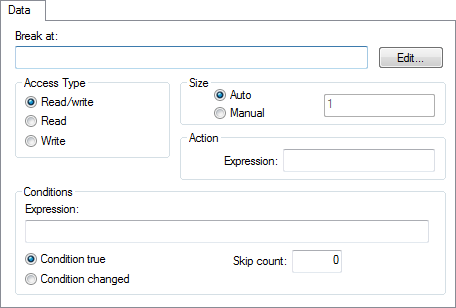
This figure reflects the C-SPY simulator.
Use the Data breakpoints dialog box to set a data breakpoint, see Setting breakpoints using the dialog box. Data breakpoints never stop execution within a single instruction. They are recorded and reported after the instruction is executed.