CMake options
The IDE Options dialog box contains a page for using IAR Embedded Workbench with CMake. The page is available by choosing Tools>Options>CMake/CMSIS-Toolbox.
The CMake options are available by choosing Tools>Options.
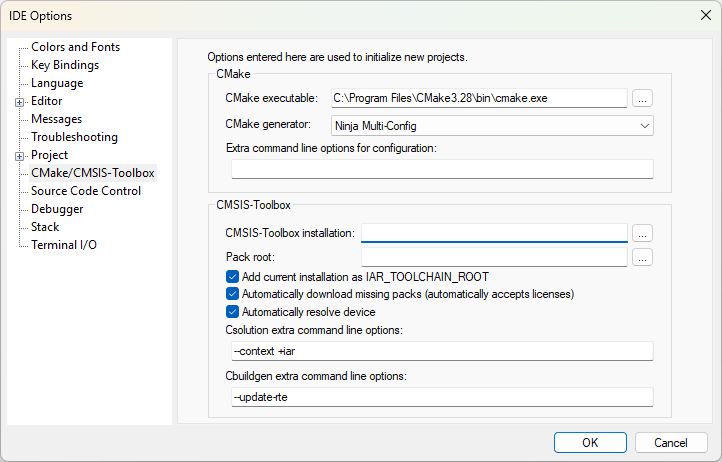
These options will be used when you create new CMake projects. Any settings made in the project options dialog box—available by choosing Project>Options>CMake/CMSIS-Toolbox—will override these options.
CMake executable
Specifies the path to the CMake installation.
CMake generator
Sets the build generator. Choose between:
Ninja
Ninja Multi-Config
Extra command line options for configuration
Use this field to send command line build options directly to CMake.
CMSIS-Toolbox installation
This option has no effect when used with IAR Embedded Workbench for RISC-V.
Pack root
This option has no effect when used with IAR Embedded Workbench for RISC-V.
Add current installation as IAR_TOOLCHAIN_ROOT
This option has no effect when used with IAR Embedded Workbench for RISC-V.
Automatically download missing packs (automatically accepts licenses)
This option has no effect when used with IAR Embedded Workbench for RISC-V.
Automatically resolve device
This option has no effect when used with IAR Embedded Workbench for RISC-V.
Csolution extra command line options
This option has no effect when used with IAR Embedded Workbench for RISC-V.
Cbuildgen extra command line options
This option has no effect when used with IAR Embedded Workbench for RISC-V.