Configure Auto Indent dialog box
In this section:
What do you want to do?
Learn about the editor, see Introduction to the IAR Embedded Workbench editor
Learn how to: Indenting text automatically
Get reference information about the Configure Auto Indent tools options, see below the line.

The Configure Auto Indent dialog box is available from the Editor category in the IDE Options dialog box.
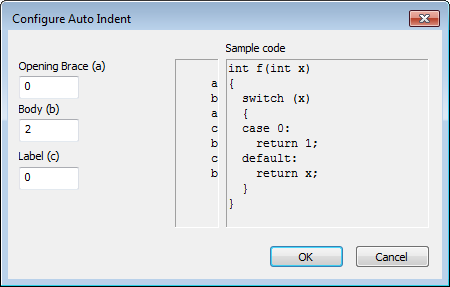
Use this dialog box to configure the editor’s automatic indentation of C/C++ source code.
For more information about indentation, see Indenting text automatically.