Configure Custom Argument Variables dialog box
What do you want to do?
Get a list of predefined argument variables: Argument variables
Get reference information about the Configure Custom Argument Variables dialog box, see below the line.

The Configure Custom Argument Variables dialog box is available from the Tools menu.
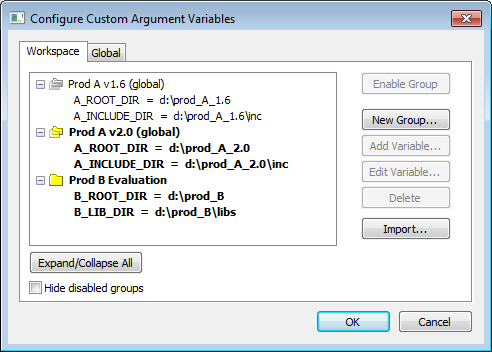
Use this dialog box to define and edit your own custom argument variables. Typically, this can be useful if you install a third-party product and want to specify its include directory by using argument variables. Custom argument variables can also be used for simplifying references to files that you want to be part of your project.
Custom argument variables have one of two different scopes:
Workspace-local variables, which are associated with a specific workspace and can only be seen by the workspace that was loaded when the variables were created.
Global variables, which are available for use in all workspaces
You can organize your variables in named groups.