Configure Tools dialog box
What do you want to do?
Learn about various ways the IDE is extensible and modular, see An extensible and modular environment
Learn how to:
Get reference information about the Configure Tools dialog box, see below the line.

The Configure Tools dialog box is available from the Tools menu.
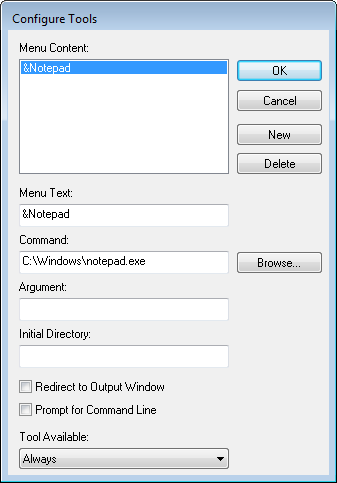
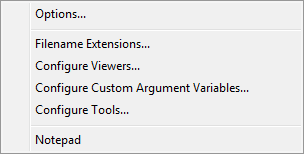
Use this dialog box to specify a tool of your choice to add to the Tools menu, for example Notepad:
Note
If you intend to add an external tool to the standard build toolchain, see Extending the toolchain.
 You can use variables in the arguments, which allows you to set up useful tools such as interfacing to a command line revision control system, or running an external tool on the selected file.
Type or browse to the
cmd.execommand shell in the Command text box.Type the command line command or batch file name in the Argument text box as:
/Cnamewhere
nameis the name of the command or batch file you want to run.The
/Coption terminates the shell after execution, to allow the IDE to detect when the tool has finished.For an example, see Adding command line commands to the Tools menu.