Find in Trace dialog box
In this section:
What do you want to do?
Learn about:
Learn how to:
Get related information:
Get reference information about the Find in Trace dialog box, see below the line.

The Find in Trace dialog box is available by clicking the Find button on the Trace window toolbar or by choosing Edit>Find and Replace>Find.
Note that the Edit>Find and Replace>Find command is context-dependent. It displays the Find in Trace dialog box if the Trace window is the current window or the Find dialog box if the editor window is the current window.
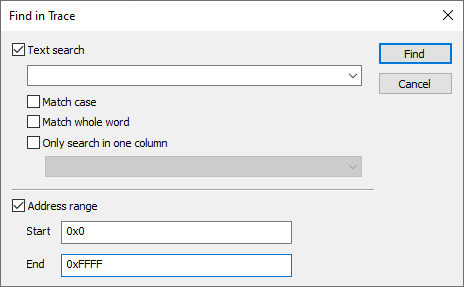
Use this dialog box to specify the search criteria for advanced searches in the trace data.
The search results are displayed in the Find in Trace window—available from the View>Messages menu, see Find in Trace window.