Options dialog box
What do you want to do?
Learn how to: Setting project options using the Options dialog box
Get reference information about the Options dialog box, see below the line.

The Options dialog box is available from the Project menu.
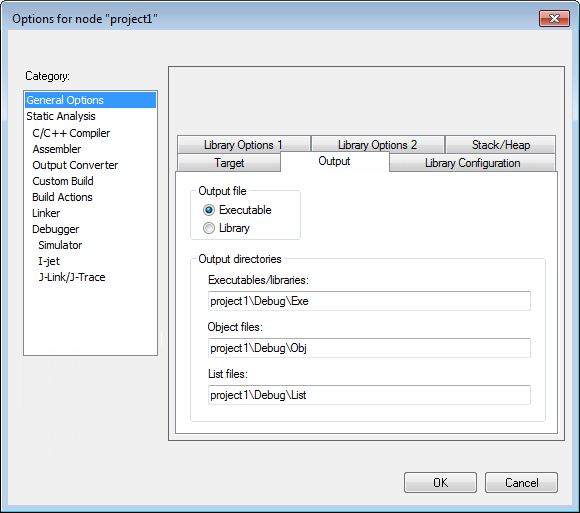
Use this dialog box to specify your project settings.
Category
Selects the build tool you want to set options for. The available categories will depend on the tools installed in your IAR Embedded Workbench IDE, and will typically include:
General options
Static Analysis, see the C-STAT® Static Analysis Guide for more information about these options
C/C++ Compiler
Assembler
Output Converter, options for converting ELF output to Motorola, Intel-standard, or other simple formats, see Output converter options.
Custom build, options for extending the toolchain
Build Actions, options for pre-build and post-build actions
Linker, available for application projects but not for library projects
Library builder, available for library projects but not for application projects
Debugger
Simulator
C-SPY hardware drivers, options specific to additional hardware debuggers.
Selecting a category displays one or more pages of options for that component of the IDE.
Factory Settings
Restores all settings to the default factory settings. Note that this option is not available for all categories.