Find in ETM/SWO Trace window
What do you want to do?
Learn about:
Learn how to:
Get related information:
Get reference information about the Find in ETM/SWO Trace window, see below the line.

The Find in ETM/SWO Trace window is available from the View>Messages menu. Alternatively, it is automatically displayed when you perform a search using the Find in Trace dialog box or perform a search using the Find in Trace command available from the context menu in the editor window.
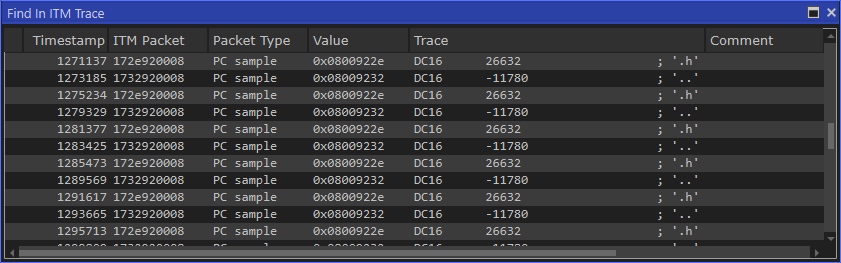
This window displays the result of searches in the trace data. Double-click an item in the Find in ETM/SWO Trace window to bring up the same item in the ETM/SWO Trace window.
Before you can view any trace data, you must specify the search criteria in the Find in Trace dialog box, see Find in Trace dialog box.