Edit Additional Libraries dialog box
The Edit Additional Libraries dialog box is available from the Library page in the Options dialog box.
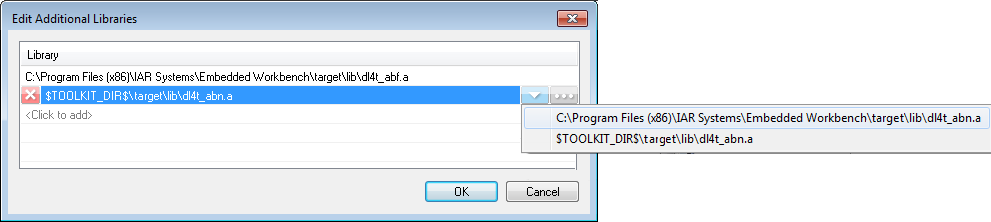
Use this dialog box to specify additional libraries, or to make a path to a library relative or absolute.
Click the text <Click to add>. A browse dialog box is displayed.
Browse to the appropriate include directory and click Open. The library is listed.
To add yet another one, click <Click to add>.
Click the drop-down arrow. A context menu is displayed. which shows the absolute path and paths relative to the argument variables
$PROJ_DIR$and$TOOLKIT_DIR$, when possible.Choose one of the alternatives.
Use the shortcut key combinations Ctrl+Up/Down.
The list will be sorted accordingly.
Select the library and click the red cross at the beginning of the line, alternatively press the Delete key.
The selected library will disappear.