Input
The Input options specify how to handle input to the linker.
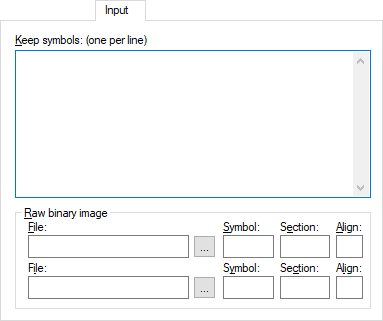
Keep symbols
Define the symbol, or several symbols one per line, that shall always be included in the final application.
By default, the linker keeps a symbol only if your application needs it.
Raw binary image
Links pure binary files in addition to the ordinary input files. Specify these parameters:
- File
The pure binary file you want to link.
- Symbol
The symbol defined by the section where the binary data is placed.
- Section
The section where the binary data is placed.
- Align
The alignment of the section where the binary data is placed.
The entire contents of the files are placed in the section you specify, which means they can only contain pure binary data, for example, the raw binary output format. The section where the contents of a specified file are placed, is only included if the specified symbol is required by your application. Use Keep symbols if you want to force a reference to the symbol. Read more about single output files and the ‑‑keep option in ‑‑image_input and ‑‑keep.