- IAR Embedded Workbench for RH850 3.20.x
- IDE Project Management and Building
- Output converter options
- Description of output converter options
Description of output converter options
Choose Project>Options to display the Options dialog box.
Select Output Converter in the Category list.
Output
The Output options determine details about the promable output format.
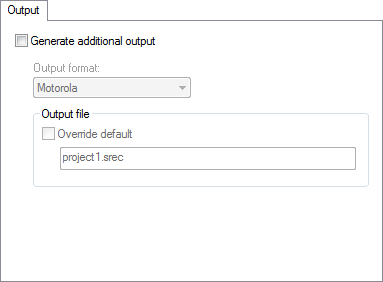
Generate additional output
For more information about the converter, see The IAR ELF Tool—ielftool.
Note
If you change the filename extension for linker output and want to use the output converter ielftool to convert the output, make sure ielftool will recognize the new filename extension. To achieve this, choose Tools>Filename Extension, select your toolchain, and click Edit. In the Filename Extension Overrides dialog box, select Output Converter and click Edit. In the Edit Filename Extensions dialog box, select Override and type the new filename extension and click OK. ielftool will now recognize the new filename extension.
Output format
Selects the format for the output from ielftool. Choose between:
Motorola S-records
Intel Extended hex
Raw binary
Simple-code
For more information about the converter, see The IAR ELF Tool—ielftool.
Output file
Specifies the name of the ielftool converted output file. By default, the linker will use the project name with a filename extension. The filename extension depends on which output format you choose, for example, either srec or hex. To override the default name, select the Override default option and specify the alternative filename or filename extension.