Download
By default, C-SPY downloads the application to RAM or flash when a debug session starts. The Download options let you modify the behavior of the download.
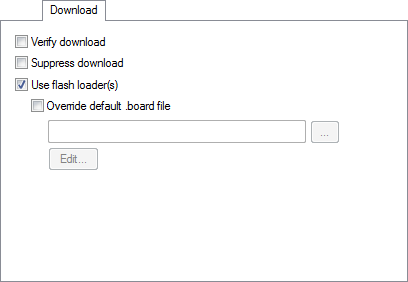
Verify download
Verifies that the downloaded code image can be read back from target memory with the correct contents.
Suppress download
Disables the downloading of code, while preserving the present content of the flash. This command is useful if you want to debug an application that already resides in target memory.
If this option is combined with the Verify download option, the debugger will read back the code image from non-volatile memory and verify that it is identical to the debugged application.
Use flash loader(s)
Use this option to use one or several flash loaders for downloading your application to flash memory. If a flash loader is available for the selected chip, it is used by default.
See Flash loaders.
Override default .board file
A default flash loader is selected based on your choice of device on the General Options>Target page. To override the default flash loader, select Override default .board file and specify the path to the flash loader you want to use. A browse button is available.