Add Folder Alias dialog box
What do you want to do?
Learn about:
Get reference information about the Add Folder Alias dialog box, see below the line.

The Add Folder Alias dialog box is opened by the IDE if source files are missing when you choose Resolve Sources from the context menu in the Workspace window, or if you have selected the Resolve source for active debug target in current project option and set a file as Debug Target from the context menu in the Workspace window.
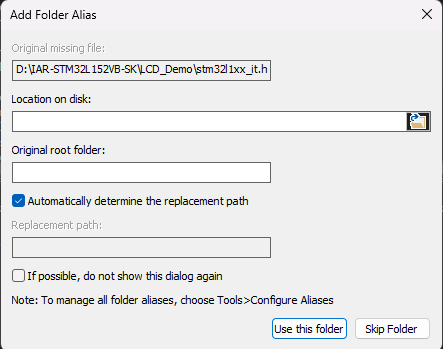
Use this dialog box when prompted by the IDE to supply (or skip) folders when you resolve source files manually using the context menu in the Workspace window. Any aliases supplied this way will be listed under Project aliases in the Configure Aliases dialog box. When you have located a file, click Use This Folder to create an alias for this folder. This means that all source files in this folder can be displayed in the Workspace window. Alternately, click Skip Folder to ignore all missing files in that folder.