The build process—an overview
This section gives an overview of the build process—how the various build tools (compiler, assembler, and linker) fit together, going from source code to an executable image.
To become familiar with the process in practice, you should go through the tutorials available from the IAR Information Center.
The translation process
There are two tools in the IDE that translate application source files to intermediary object files—the IAR C/C++ Compiler and the IAR Assembler. Both produce relocatable object files in the industry-standard format ELF, including the DWARF format for debug information.
Note
The compiler can also be used for translating C source code into assembler source code. If required, you can modify the assembler source code which can then be assembled into object code. For more information about the IAR Assembler, see the IAR Assembler documentation.
This illustration shows the translation process:
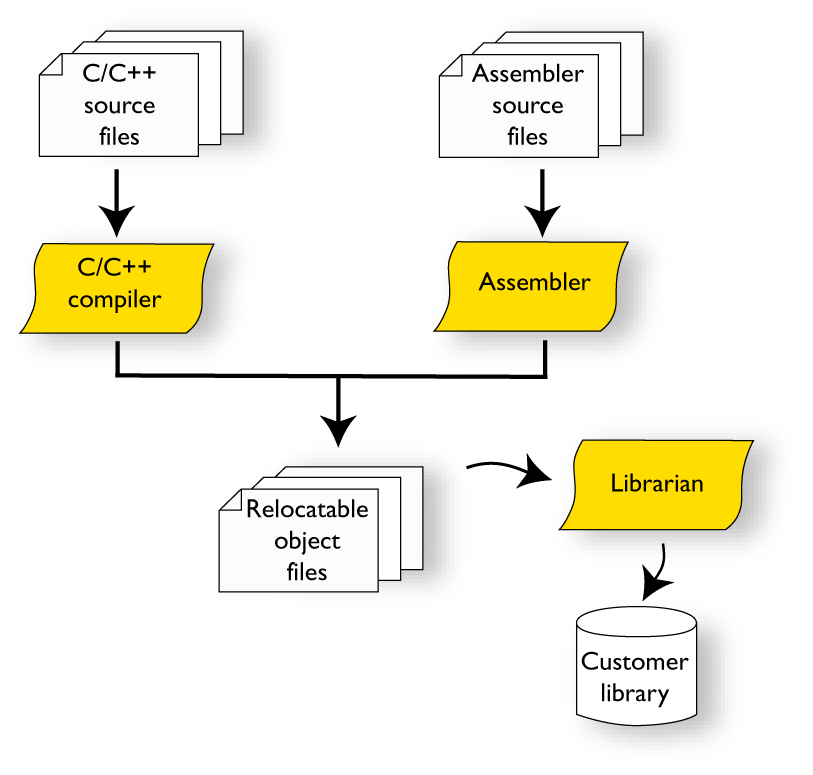
After the translation, you can choose to pack any number of modules into an archive, or in other words, a library. The important reason you should use libraries is that each module in a library is conditionally linked in the application, or in other words, is only included in the application if the module is used directly or indirectly by a module supplied as an object file. Optionally, you can create a library, then use the IAR utility iarchive.
The linking process
The relocatable modules in object files and libraries, produced by the IAR compiler and assembler cannot be executed as is. To become an executable application, they must be linked.
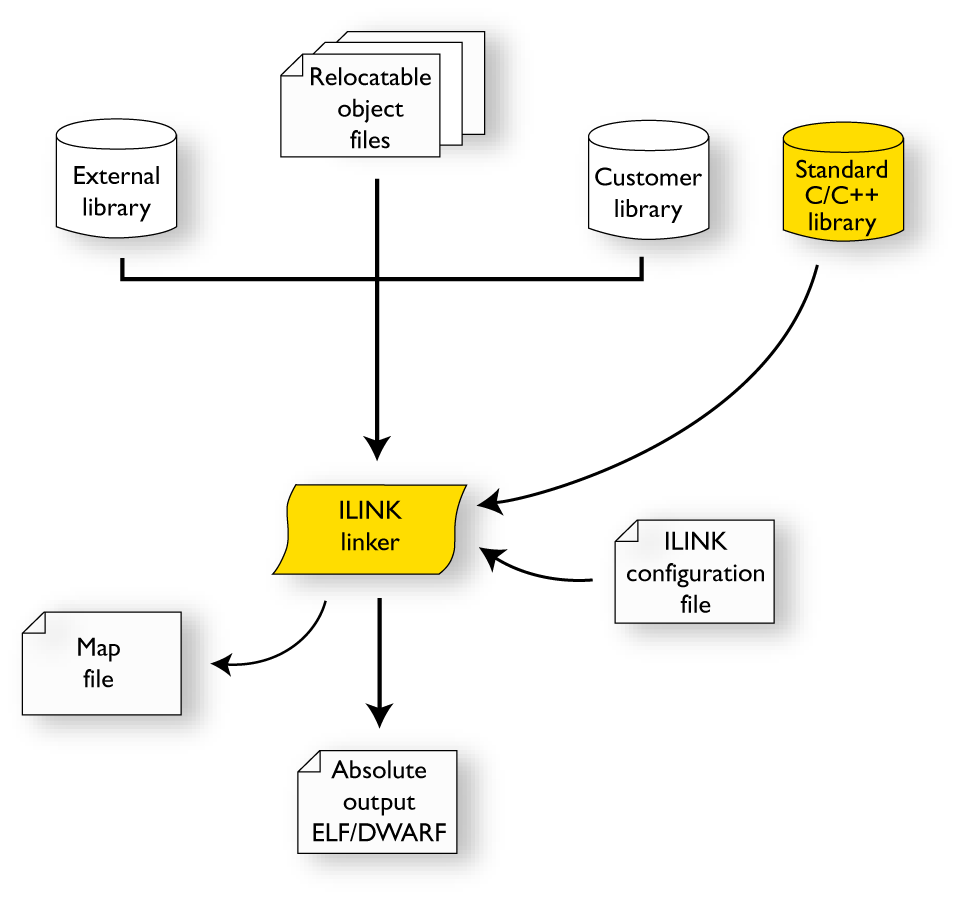
The IAR ILINK Linker (ilinkrl78.exe) is used for building the final application. Normally, the linker requires the following information as input:
Several object files and possibly certain libraries
A program start label (set by default)
The linker configuration file that describes placement of code and data in the memory of the target system
This illustration shows the linking process:
Note
The Standard C/C++ library contains support routines for the compiler, and the implementation of the C/C++ standard library functions.
While linking, the linker might produce error messages and logging messages on stdout and stderr. The log messages are useful for understanding why an application was linked the way it was, for example, why a module was included or a section removed.
For more information about the linking process, see The linking process in detail.
After linking
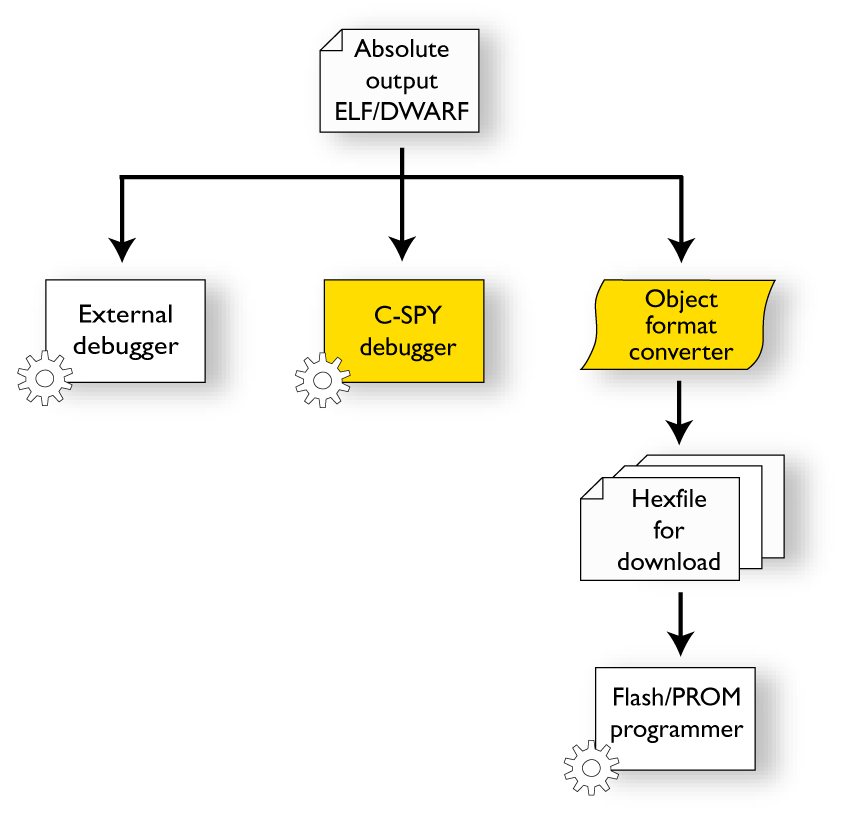
The IAR ILINK Linker produces an absolute object file in ELF format that contains the executable image. After linking, the produced absolute executable image can be used for:
Loading into the IAR C-SPY Debugger or any other compatible external debugger that reads ELF and DWARF.
Programming to a flash/PROM using a flash/PROM programmer. Before this is possible, the actual bytes in the image must be converted into the standard Motorola 32-bit S-record format or the Intel Hex-32 format. For this, use
ielftool, see The IAR ELF Tool—ielftool.
This illustration shows the possible uses of the absolute output ELF/DWARF file: