Edit Fonts dialog box
What do you want to do?
Learn how to: Syntax coloring
Get reference information about the Edit Fonts dialog box, see below the line.

The Edit Fonts dialog box is available from the Colors and Fonts category in the IDE Options dialog box.
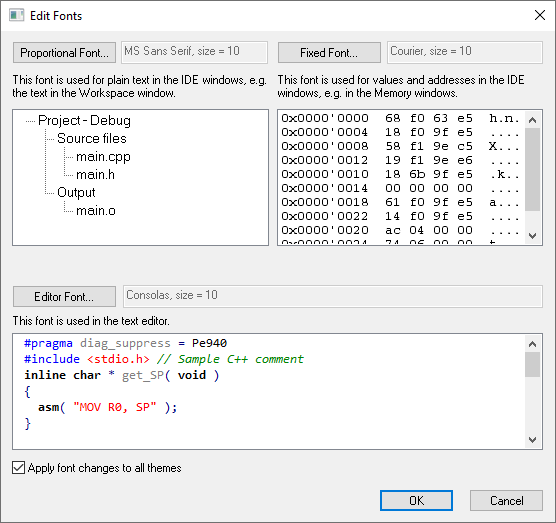
Use this dialog box to customize the fonts used by the selected theme in the IDE windows. Previews are shown of all the changes you make.
Proportional Font
Opens a font picker where you can select which proportional (variable-width) font and size to use for plain text in all windows.
Fixed Font
Opens a font picker where you can select which fixed-width (monospace) font and size to use for values and addresses in all windows except the editor window.
Editor Font
Opens a font picker where you can select which fixed-width (monospace) font and size to use in the editor window.
Apply font changes to all themes
Select this option to apply the changes you have made to all themes, not just the one that was selected when you opened the Edit Fonts dialog box.