- IAR Embedded Workbench for RX 5.20
- C-SPY Debugging
- Getting started using C-SPY
- Reference information on starting C-SPY
- Hardware Setup dialog box: External Memory
Hardware Setup dialog box: External Memory
The Hardware Setup dialog box for the hardware debuggers is available from the C-SPY driver menu. Before C-SPY is started for the first time in a new project, and when you change devices, you can specify how your application will be downloaded to the external flash memory.
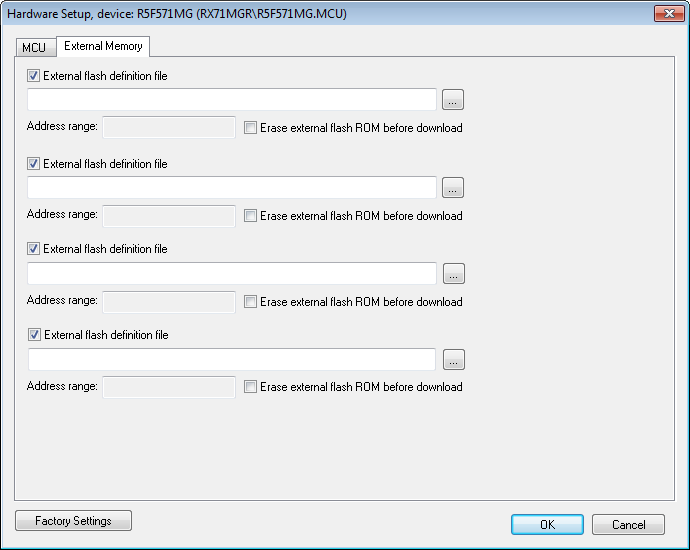
Use the External Memory options page to specify how your application will be downloaded to the external flash memory.
Using these options, you can download the main output file of your project or the additional debug images specified on the Project>Options>Debugger>Images page to flash memory connected to an external bus.
Requirements
A C-SPY hardware debugger driver.
External flash definition file
Specify an external flash definition file (USD file) by typing the absolute path to the file or by using the browse button to navigate to the file. Up to four USD files can be registered.
For more information about USD files, see the External Flash Definition Editor documentation on www.renesas.com.
Erase external flash ROM before download
Erases the external flash ROM before your application is downloaded. If this option is left deselected, the flash ROM memory will not be erased by the downloading process. This means that any addresses that are not overwritten by the downloaded image will keep their previous contents.
Related information
For related information, see Downloading files to external flash memory.