Invoking external tools from the Tools menu
In this section:
To add an external tool to the menu, for example Notepad, choose Tools>Configure Tools to open the Configure Tools dialog box.
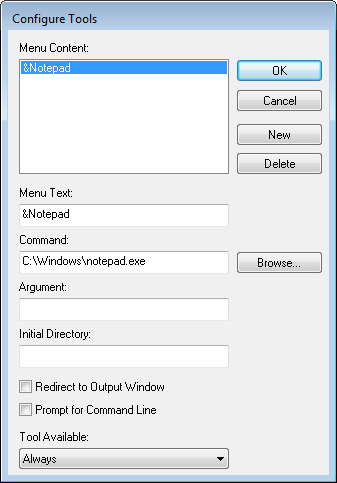
Fill in the text fields according to the screenshot. For more information about this dialog box, see Configure Tools dialog box.
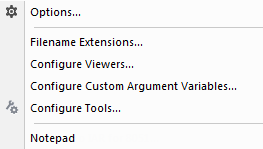
After you have entered the appropriate information and clicked OK, the menu command you have specified is displayed on the Tools menu.
Note
You cannot use the Configure Tools dialog box to extend the toolchain in the IDE. If you intend to add an external tool to the standard build toolchain, see Extending the toolchain.